FashionBaby
How to use the baby image to video generator
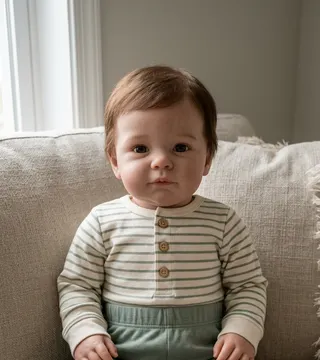
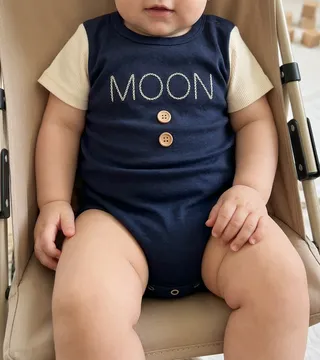
Making a baby clothing video for TikTok Shop or your brand’s product page? Start with the photo you have. The four examples show how stripes, lettering, layers, and plaid look when a still image starts moving.
Photograph the whole set
Lay the top and bottom together in natural window light. Flatten a folded cuff, straighten the waistband and keep the print legible. For a screenshot, crop out shopping controls while keeping the hem, sleeves and any included accessories.
Choose an age and setting
Select a baby model in the age range you sell. A simple couch makes a seated outfit easy to see. A flat crib setting works for a footed sleeper. For a standing toddler, leave room in the frame to show the full leg length.
Compare the first frame with the source
Check the garment color, number of buttons, exact lettering, cuffs and accessories. On two-piece sets, check that the pants sit over the onesie. The studio can try one automatic correction for a clothing mismatch. You can approve the preview or give specific corrections for a new image.
Export and edit
Use 9:16 for a vertical phone screen or 16:9 for a horizontal placement. The MP4 includes an audio track. In your editor you can keep the original sound, lower its volume or mute it. Preview the crop and any captions before publishing.
Starting with your own photo
Choose Create video to animate an existing first frame and skip the image charge. Use a photo you have permission to use commercially, including permission for every person shown.